awsmtech.ch

Articles Blog EN

Articles Blog EN

Green IT for SMEs: Combining Digital Performance and Environmental Sustainability

Green IT for SMEs: Combining Digital Performance and Environmental Sustainability Green IT for SMEs: Combining Digital Performance and Environmental Sustainability Digital transformation has become an essential step for all companies, including small and medium-sized enterprises (SMEs). It optimizes processes, facilitates collaboration, and stimulates innovation. However, this digital boom comes with a sharp increase in energy and resource consumption, often invisible at first glance. For example, data centers are estimated to represent around 1% of global electricity consumption, equivalent to the annual consumption of several million households. In Switzerland, data centers already account for nearly 4% of national electricity consumption, as much as all the country’s trains combined. With the rapid rise of cloud computing and artificial intelligence, this digital footprint continues to grow. In this context, the Green IT approach (or sustainable IT) aims to reverse the trend: it brings together a set of practices designed to reduce the environmental footprint of digital technologies while preserving performance. In other words, the objective is to adopt eco-responsible technologies and more sustainable usage patterns in order to reconcile digital transformation with environmental sustainability. What is Green IT? Green IT (short for Green Information Technology) refers to all strategies and best practices aimed at minimizing the environmental impact of digital technologies throughout their lifecycle. This includes the eco-responsible design of hardware and software, their energy-efficient daily use, and the end-of-life management of equipment with proper recycling of electronic waste. Beyond technical solutions, Green IT involves a comprehensive organizational approach: it means rethinking digital usage and integrating digital sobriety into company practices to align digital transformation with sustainable development goals. Why does Green IT matter for SMEs? Several factors are encouraging SMEs to take a closer interest in sustainable IT practices: Rising energy costs: IT represents a growing share of electricity expenses and operational costs for SMEs. Between servers running 24/7, office equipment, and massive online data storage, the energy bill related to digital technologies is increasing rapidly. Optimizing the consumption of these systems is therefore an immediate lever to reduce costs. Pressure from customers and partners: More and more clients, consumers, and business partners expect companies to adopt sustainable practices. Committing to a Green IT approach sends a strong signal: the company reduces its carbon footprint and demonstrates environmental responsibility, thereby strengthening its brand image and competitiveness in the market. Increasing regulatory requirements: Public authorities – in Switzerland, in Europe, and elsewhere – are multiplying environmental standards and incentives for digital sobriety. For example, Switzerland encourages improvements in the energy efficiency of data centers, and the European Union is progressively imposing directives on electronic waste management and the energy consumption of devices. Adopting Green IT enables SMEs to stay ahead of regulatory compliance, avoid potential fines, and benefit from available incentives for responsible companies. Performance and innovation: Contrary to common belief, improving the environmental efficiency of IT can go hand in hand with enhanced performance. For example, rationalizing stored data or modernizing an obsolete server can accelerate applications while consuming less energy. Likewise, migrating to high-performance cloud tools can strengthen business agility while reducing its carbon footprint. Thus, digital performance and sustainability can progress together, offering SMEs a dual competitive advantage. Key Green IT practices (and their benefits) Fortunately, SMEs can deploy Green IT step by step, depending on their resources and priorities. Below are some fundamental Green IT practices and the concrete benefits they bring to small businesses: Green IT Practice Potential Benefits for SMEs Efficient IT infrastructures (cloud & virtualization) Reduce energy consumption by optimizing server and storage usage (fewer active machines, reduced cooling systems). Lower electricity bills and maintenance costs, while potentially improving application reliability and performance. Sustainable and eco-designed hardware Energy-efficient IT equipment (Energy Star certified and equivalent) consumes less electricity and lasts longer. By prioritizing modular, repairable, or refurbished equipment, companies reduce replacement costs and limit electronic waste production. Responsible e-waste management Recycling and reuse policies for end-of-life equipment reduce electronic waste and prevent pollution associated with landfill disposal. Recycling recovers valuable materials, and refurbishing used devices can generate savings or additional revenue. Sustainable digital usage Measures such as automatic sleep mode for computers, switching off equipment outside office hours, reducing paper printing, and disabling unnecessary digital services immediately decrease electricity consumption and waste. These simple actions lower recurring costs and demonstrate the company’s environmental commitment, strengthening its image among stakeholders. Awareness and green corporate culture Integrating Green IT into company culture ensures the sustainability of efforts. Training employees in digital eco-friendly practices (e.g., managing emails properly, limiting HD streaming, unplugging unused devices) and including environmental objectives in IT strategy strengthens staff engagement and coherence of actions. Challenges and opportunities of Green IT for SMEs Despite its many advantages, implementing Green IT can present specific challenges for small organizations. A lack of financial and technical resources is often cited as a barrier: investing in more energy-efficient equipment or newer software represents an immediate cost that can be difficult to bear for an SME with a tight budget. In addition, a lack of expertise in digital sustainability can leave managers feeling overwhelmed by the range of possible solutions, and resistance to changing habits within teams can slow down the green transition. These obstacles are real but can be transformed into growth and innovation opportunities. For example, improvements in energy efficiency ultimately generate substantial long-term savings, largely offsetting the initial investment. Likewise, the need to train in responsible digital practices can become an opportunity to build skills and innovate, strengthening the company’s competitiveness. By overcoming internal resistance through awareness and employee involvement, the SME develops a more agile and responsible corporate culture, fostering internal cohesion. Finally, by voluntarily adopting Green IT practices, an SME positions itself as a pioneer in its sector. It can gain a competitive advantage by responding to growing demand for environmentally friendly products and services. It will also be better prepared for future regulatory changes or fluctuations in energy costs, thereby strengthening its resilience. Practical tips to start Green IT SMEs do not need significant

Articles Blog EN

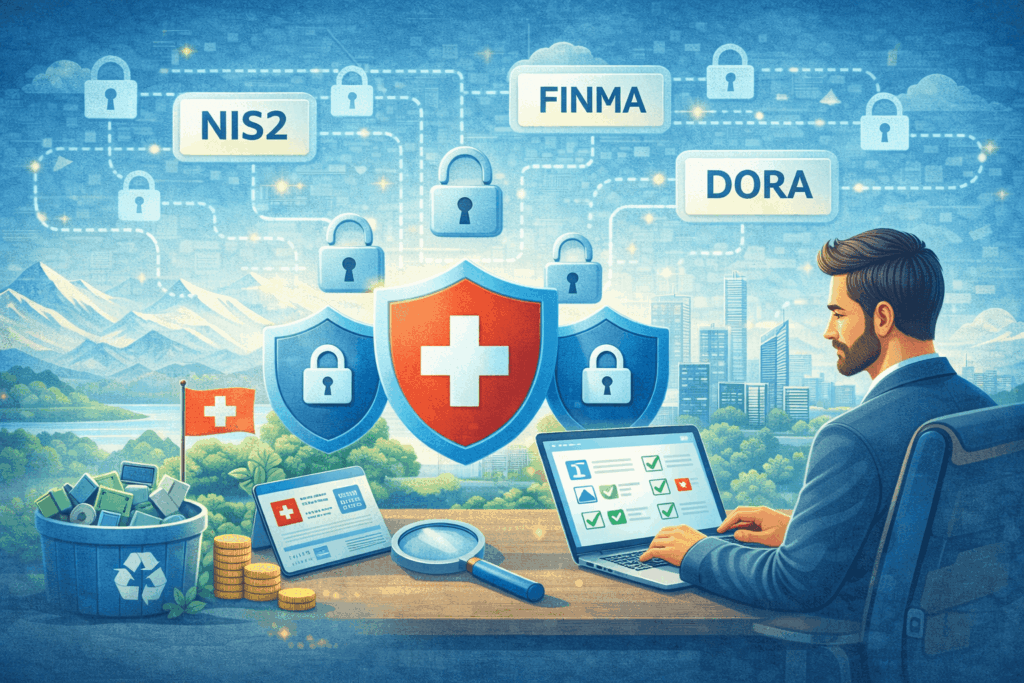
Cybersecurity Switzerland 2026: anticipate NIS2, DORA and FINMA. Understand the key requirements and strengthen your company’s resilience.

Cybersecurity Switzerland 2026: anticipate NIS2, DORA and FINMA. Understand the key requirements and strengthen your company’s resilience. Cybersecurity Switzerland 2026: Are you ready for NIS2, DORA and FINMA? Cybersecurity Switzerland 2026: Are you ready for NIS2, DORA and FINMA? By 2026, regulated companies in Switzerland will have to face an unprecedented convergence of regulations in cybersecurity and operational resilience. On one side, the European regulations NIS2 and DORA impose strict standards on companies operating within the European Union. On the other, FINMA and the National Cyber Security Centre (NCSC) are strengthening local requirements. Objective of this article: help you understand the implications of these regulations, identify the risks of non-compliance, and adopt best practices to ensure the security of your information systems and the continuity of your critical activities. Why NIS2 and DORA compliance also concerns Swiss companies Even though Switzerland is not a member of the EU, it does not escape the influence of European regulations. The NIS2 Directive and the DORA Regulation apply indirectly to Swiss companies through their cross-border activities, their partners or their subsidiaries in the EU. Switzerland has chosen to align its national strategy with NIS2 through the KRITIS-G law, which will enter into force in January 2027. Likewise, Swiss ICT providers delivering services to financial entities in the EU must comply with DORA as of January 2025. DORA: What Swiss ICT providers need to know The DORA Regulation requires financial institutions and their ICT providers to implement: An ICT risk management framework Resilience testing (TLPT, BCP) Rigorous third-party supplier management Incident notifications within strict deadlines Sanctions of up to 2% of global annual turnover Even though DORA is a European regulation, it applies to Swiss providers operating for financial entities in the EU. It is therefore crucial to anticipate these obligations now. FINMA 2023/1: A new era for banking operational resilience FINMA Circular 2023/1, in force since January 2024, requires Swiss banks to implement: Strengthened operational risk governance Identification of critical functions Business continuity management (BCM) plans Rapid notification obligations in case of a cyber incident It aligns with international best practices and complements DORA requirements for Swiss financial institutions. Comparative table: NIS2 vs DORA vs FINMA – What are the differences? Requirement NIS2 (EU) DORA (EU) FINMA 2023/1 (Switzerland) Sectors concerned 18 critical sectors Financial sector + providers Banks and insurers Incident notification Max 24h Strict deadlines As soon as possible Sanctions Up to 10% of global turnover Up to 2% of global turnover Periodic penalty payments, withdrawal of authorization Governance required Yes Yes Yes Supplier management Mandatory Very detailed Requirements via Circ. 2018/3 Non-compliance risks: What you really risk Financial fines (up to 10% of turnover) Loss of contracts with European partners Damaged reputation (publication of breaches) Withdrawal of authorization by FINMA Exclusion from public tenders Increase in cyber insurance premiums Synergies and divergences between Swiss and European frameworks Synergies: Common objectives: strengthening cyber resilience Risk-based approach and reinforced governance Compatibility between technical requirements (ISO 27001, NCSC ICT Minimum Standard) Divergences: Different definitions of critical functions Varying notification deadlines Stricter contractual requirements under DORA 6 best practices to anticipate 2026 without stress Conduct a NIS2 / DORA / FINMA compliance audit Implement a cybersecurity framework based on ISO 27001 Integrate regulatory requirements into supplier contracts Train teams on incident management Involve the Board of Directors in the cyber strategy Use the NCSC ICT Standard as a technical baseline Turning compliance into a competitive advantage The convergence of NIS2, DORA and FINMA regulations is not just a regulatory challenge. It is a strategic opportunity for Swiss companies to: Strengthen their cybersecurity posture Earn the trust of clients and partners Position themselves as a reliable player in the European market Reduce operational and legal risks By anticipating now, you turn compliance into a growth lever.

Articles Blog EN

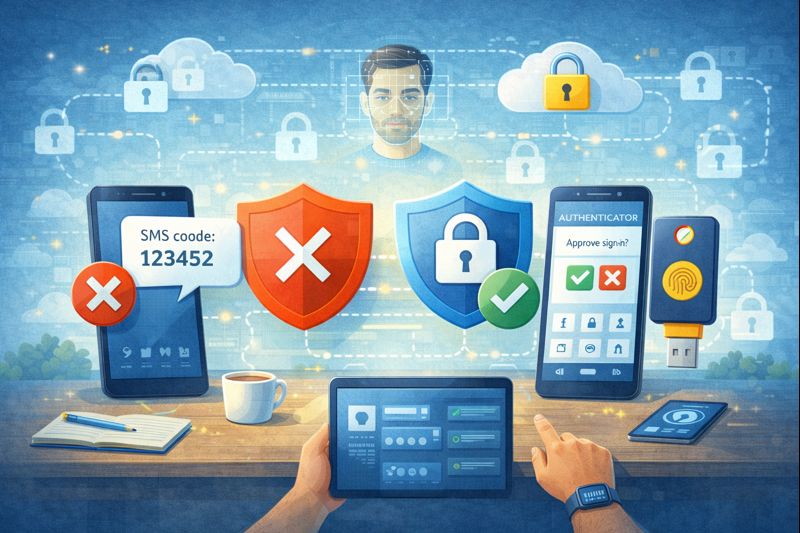
Discover why SMS codes are no longer sufficient for MFA and which modern, secure, and phishing-resistant authentication solutions to adopt in Switzerland.

Discover why SMS codes are no longer sufficient for MFA and which modern, secure, and phishing-resistant authentication solutions to adopt in Switzerland. MFA Security: Why SMS Codes Are No Longer Enough in 2026 (and What to Adopt in Switzerland)  For many years, enabling multi-factor authentication (MFA) has been a cornerstone of account and device security. MFA remains essential, but the threat landscape has evolved, making some traditional methods less effective. The most common form of MFA – four- or six-digit codes sent via SMS – is convenient and familiar, and certainly an improvement over passwords alone. However, SMS relies on aging technology, and cybercriminals now have reliable techniques to bypass it. For organizations handling sensitive data, SMS-based MFA is no longer sufficient. It is time to adopt modern, phishing-resistant MFA to stay ahead of current attacks. SMS was never designed as a secure authentication channel. Its dependence on mobile networks exposes it to significant vulnerabilities, particularly within telecom protocols such as Signaling System No. 7 (SS7), which is used for communication between networks. Attackers know that many companies still rely on SMS for MFA, making it an attractive target. For example, SS7 vulnerabilities can be exploited to intercept SMS messages without even accessing your phone. Eavesdropping, message redirection, or injection can occur directly within the operator’s network or during transmission. SMS codes are also vulnerable to phishing. If a user enters their username, password, and SMS code on a fraudulent website, attackers can capture all three elements in real time and immediately access the legitimate account.  Understanding SIM Swapping Attacks One of the most serious threats associated with SMS is SIM swapping. In this type of attack, a criminal contacts your mobile carrier while impersonating you and claims to have lost their phone. They then request that your number be transferred to a new SIM card in their possession. If successful, your phone loses service while the attacker receives all your calls and SMS messages, including MFA codes for your banking or email services. Even without knowing your password, they can reset your credentials and take full control of your accounts. This type of attack does not require advanced technical skills. It primarily relies on social engineering targeting carrier customer support, making it simple yet potentially devastating. Why Phishing-Resistant MFA Is Becoming the New Standard To counter these threats, it is essential to minimize human intervention by adopting phishing-resistant MFA. This approach relies on cryptographic protocols that bind each login attempt to a specific domain. One of the most widely adopted standards is FIDO2, which uses cryptographic keys tied to both a device and a domain. Even if a user clicks on a phishing link, the authentication application will not release credentials if the domain does not match. This technology is also passwordless, eliminating the risk of phishing-based theft of passwords or one-time passcodes (OTPs). Attackers are forced to target the device itself, which is far more difficult than deceiving a user. Using Hardware Security Keys Hardware security keys are among the most robust phishing-resistant solutions available. These are small physical devices, similar to a USB key, that are inserted into a computer or tapped against a smartphone. To log in, the user simply inserts or taps the key, which then performs a cryptographic verification with the service. This approach is extremely secure because there is no code to enter, and attackers cannot steal the key remotely. They would need to physically obtain it, which is significantly more difficult. Authenticator Apps and Push Notifications If physical keys are not feasible, authenticator apps such as Microsoft Authenticator or Google Authenticator are a clear improvement over SMS. Codes are generated locally on the device, eliminating the risks associated with SIM swapping or SMS interception. Push notifications do carry some risk. Attackers can send multiple approval requests, leading to MFA fatigue, where a user eventually taps “approve” simply to stop the alerts. Modern applications now integrate number matching. The user must enter in the app the number displayed on their login screen, ensuring they are physically present at their device. Passkeys: The Future of Authentication As passwords are regularly compromised, modern systems are adopting passkeys – credentials stored on the device and protected by biometrics such as fingerprint or facial recognition. Passkeys are phishing-resistant and can be synchronized through services like iCloud Keychain or Google Password Manager. They offer the security of a hardware key with the convenience of a device the user already owns. They also reduce the burden on IT teams, as there are no passwords to store or reset. Finding the Balance Between Security and User Experience Moving away from SMS-based MFA requires a cultural shift. Because users are accustomed to the simplicity of SMS, introducing hardware keys or authenticator apps may initially meet resistance. It is crucial to explain the reasons for the change, particularly the risks of SIM swapping and the value of the data being protected. When users understand the stakes, they are more likely to embrace stronger measures. A phased rollout can help for general internal users, but phishing-resistant MFA should be mandatory for privileged accounts – administrators, executives, and leadership. The Cost of Inaction Continuing to rely on outdated MFA methods creates a false sense of security. Even if such methods satisfy certain compliance requirements, they leave systems exposed to costly attacks and breaches, both financially and reputationally. Modernizing authentication methods offers one of the strongest returns on investment in cybersecurity. The cost of hardware keys or identity management solutions remains modest compared to the expenses associated with a security incident, incident response, or data recovery. Is Your Company Ready to Move Beyond Passwords and SMS Codes? We specialize in deploying modern identity solutions that are secure and easy to use. Contact us to implement a robust authentication strategy tailored to your organization.

Articles Blog EN

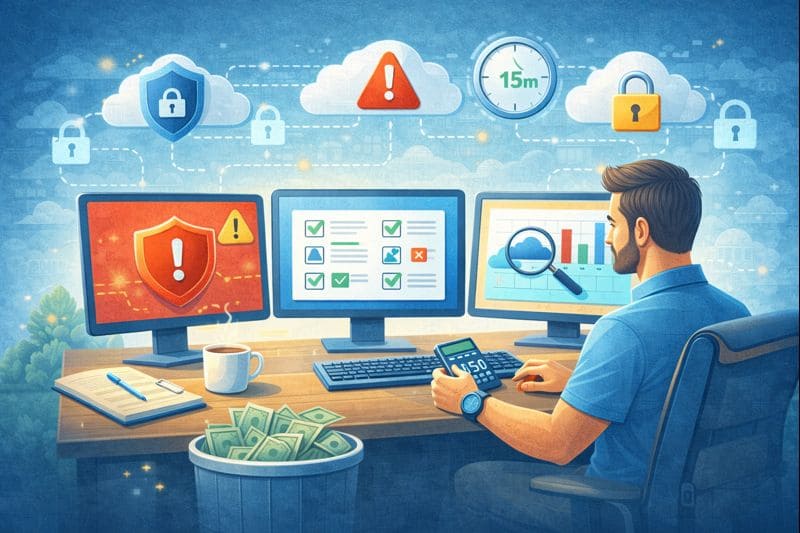
Strengthen your cloud security in 15 minutes a day. Discover best practices to prevent vulnerabilities and protect your data in Switzerland.

Strengthen your cloud security in 15 minutes a day. Discover best practices to prevent vulnerabilities and protect your data in Switzerland. Moving to the Cloud…  Migrating to the cloud offers great flexibility and speed, but it also brings new responsibilities for your team. Cloud security is not something you configure once and forget: small mistakes can quickly turn into serious vulnerabilities if they are ignored. You do not need to spend hours on it every day. In most cases, a short, regular check is enough to spot issues before they escalate. Establishing a routine is the most effective way to protect yourself against cyberthreats and to maintain an organized and secure environment. Think of daily cloud security checks like a morning hygiene routine for your infrastructure. Fifteen minutes a day can prevent major incidents. A proactive approach is essential to ensure business continuity and should include the following best practices: 1. Review access and identity logsThe first step is to check who has logged in and confirm that all access attempts are legitimate. Identify logins from unusual locations or at odd hours: these are often the first signs of a compromised account. Also pay close attention to failed login attempts. A sudden increase may indicate a brute-force or dictionary attack. Quickly investigate these anomalies to prevent an intruder from moving further into your environment. Finally, proper identity management requires strict monitoring of user accounts. Make sure former employees no longer have access and immediately disable any account that should no longer exist. Keeping a clean user list is a fundamental pillar of security. 2. Check storage permissionsData leaks often result from the accidental exposure of a folder or file. Misconfigured permissions can make an item public with a single click. Review your buckets or storage spaces daily and ensure that private data remains private. Look for any container configured with “public” access. If a file does not need to be publicly visible, lock it down. This simple check prevents sensitive data leaks and protects both your reputation and legal compliance. Misconfigurations remain one of the leading causes of breaches. Even though cloud providers offer automated detection tools, a manual review by your cloud administrators is recommended to maintain a clear view of your environment. 3. Monitor unusual usage spikesSudden changes in consumption can reveal a security incident. A compromised server may be used for cryptocurrency mining or integrated into a botnet attacking other systems. Common indicators include a CPU running at 100% or an unexpected increase in cloud costs. Check your cloud dashboard daily to spot abnormal resource spikes and compare the day’s data with your usual baseline. If something looks suspicious, inspect the affected machine or container and trace the root cause: this can prevent a much larger issue. Resource spikes may also indicate a DDoS attack. Identifying them quickly allows you to mitigate traffic and keep your services online. 4. Review security alerts and notificationsYour cloud provider likely sends security alerts, but they are often ignored or end up in spam. Make it a habit to review them daily: they sometimes contain critical information. These notifications may flag outdated systems or unencrypted databases. Addressing them quickly significantly reduces the risk of leaks. Integrate the following checks into your daily routine: Review priority alerts from the cloud security center Check for any new compliance violations Ensure backups completed successfully Confirm that antivirus definitions are up to date on servers Responding to alerts strengthens your security posture and demonstrates due diligence in protecting company assets. 5. Verify backup integrityBackups are your safety net, but only if they are complete and usable. Every morning, check the status of overnight backups. If a job failed, rerun it immediately. Losing a day of data can be costly; maintaining reliable backups is essential to business resilience. It is also recommended to regularly test restores to ensure everything works as expected. Knowing your data is secure allows you to focus on the rest, without fearing the impact of ransomware or other attacks. 6. Keep software up to dateCloud servers require updates just like physical servers. Your daily check should include verifying the status of your patch management system. Unpatched servers are prime targets. With new vulnerabilities discovered every day, reducing the exposure window is critical. Apply patches as soon as they are available, especially critical ones, without waiting for the next maintenance window. This responsiveness prevents many incidents. Building a security routineSecurity does not require heroic daily efforts. It requires consistency, discipline, and a solid routine. A daily 15-minute cloud check is a small investment with a high return, as it protects your data and ensures the smooth operation of your systems. By adopting this proactive approach, you significantly reduce risks, strengthen trust in your IT operations, and simplify the management of your cloud environment. Need help setting up an effective routine? Our managed cloud services monitor your infrastructure 24/7 so you can focus on your core business. Contact us to protect your cloud environment.

Articles Blog EN

Optimize your Microsoft 365 Copilot licenses. Reduce costs, analyze actual usage, and avoid software waste with a comprehensive audit.

Optimize your Microsoft 365 Copilot licenses. Reduce costs, analyze actual usage, and avoid software waste with a comprehensive audit.   Artificial intelligence (AI) is transforming the business world Artificial intelligence (AI) has become firmly established in companies, pushing organizations of all sizes to adopt new tools to gain efficiency and strengthen their competitive advantage. Among these technologies, Microsoft 365 Copilot stands out thanks to its seamless integration into the Office 365 environment, already well known to users. In the rush to adopt new solutions, many companies purchase licenses for their entire workforce without proper analysis. This approach often leads to the phenomenon known as “shelfware”, meaning AI tools that go unused while the company continues to pay for them. Given the high cost of these solutions, it is essential to invest thoughtfully to achieve a real return on investment. Because you can only improve what you measure, a Microsoft 365 Copilot audit becomes essential to assess and quantify adoption rates. An in-depth review makes it possible to see who is actually using the technology and who benefits from it. It also helps make better licensing decisions, reducing costs while improving overall efficiency. The reality of waste linked to AI licenses Buying licenses in bulk may seem convenient, as it simplifies the work of the IT department. However, this strategy often ignores real user behavior: not everyone needs Copilot’s advanced features. Waste occurs when licenses remain inactive. For example: a receptionist is unlikely to need advanced data analysis; a field technician may never open the desktop application. Paying for unused licenses weighs on the budget. Identifying and correcting these gaps is essential to protect company finances. The savings achieved can then be reinvested in more strategic projects. Analyzing user activity reports Fortunately, Microsoft provides built-in tools to analyze actual Copilot usage. The Microsoft 365 Admin Center is the best place to start. It allows you to generate reports over defined periods and obtain a clear view of engagement. You can track indicators such as: enabled users active users adoption rate usage trends This data makes it possible to identify employees who have never used Copilot or whose minimal usage does not justify a dedicated license. This visibility enables fact-based decisions—and opens a constructive dialogue with department managers to understand why certain teams are not using the tool. Strategies to optimize the IT budget Once waste has been identified, it’s time to act. First actions to consider: reclaim unused licenses and reassign them where they are truly needed; implement a formal license request process: only users who can justify their need receive Copilot. IT budget optimization is never a one-off exercise: it requires ongoing monitoring. Reviewing these metrics monthly or quarterly helps maintain control over software spending. Driving adoption through training A low usage rate does not necessarily mean a lack of interest. Some people simply do not need the tool. Others avoid it due to insufficient training, which leads to frustration and poor adoption. That is why reducing licenses alone is not enough: the company must also invest in training. Recommended steps: organize lunch & learn sessions to present key features; share testimonials from internal power users; create a library of short, practical tip videos; appoint Copilot Champions in each department. When an employee understands the value of the tool and knows how to use it, adoption increases naturally—turning an underused license into a real productivity asset. Implementing a governance policy Another way to reduce waste is to establish a governance policy for AI tools. This clarifies: who is entitled to a license; which roles receive one automatically; which cases require manager approval; how often licenses are reviewed. Clear governance avoids the “everyone gets one” approach that leads to waste. It also improves transparency and encourages a culture of accountability in the use of IT resources. Preparing properly before the renewal period The worst time to review your license usage?The day before renewal. Plan your audits at least 90 days in advance. This gives you time to adjust the contract and reduce or optimize the number of licenses. This preparation also strengthens your position when negotiating with vendors: by bringing concrete data, you can align your contract with real needs and avoid another year of unnecessary expenses. Smart management makes all the difference Modern software management requires vigilance and data. With the widespread adoption of subscription models, letting licenses accumulate without oversight is no longer an option. Regular Microsoft 365 Copilot audits protect your budget and ensure effective usage by aligning purchases with actual use. Take control today.Analyze the numbers, ask the right questions, and make sure every franc invested truly contributes to your company’s growth. Ready to optimize your AI tool spending? Our team supports you with comprehensive Microsoft 365 Copilot audits to eliminate waste and take control of your IT budget. Contact us now to schedule your consultation.

Articles Blog EN

Secure remote working on public networks. VPN, data protection, physical security: discover best practices for working securely in Switzerland.

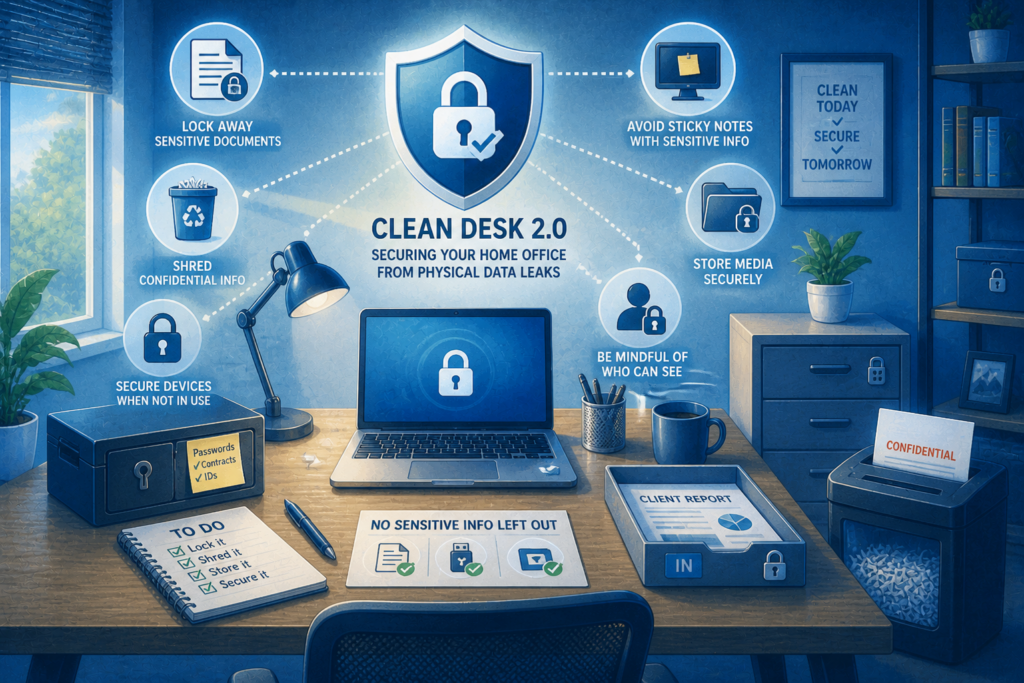
Secure remote working on public networks. VPN, data protection, physical security: discover best practices for working securely in Switzerland. The modern workplace goes far beyond traditional cubicles and open spaces Since remote work became widespread during the COVID and post-COVID period, employees now work from their homes, libraries, busy cafés, or even from their vacation destinations. These environments—often referred to as “third places”—offer flexibility and comfort, but they also introduce new risks for corporate IT systems. With remote work becoming a lasting reality, organizations must adapt their security policies. A café cannot be considered a secure office: its open environment exposes employees to very different threats. Teams need clear guidelines to work safely and protect sensitive data. Neglecting security on public Wi-Fi networks can have serious consequences, as these locations are prime targets for cybercriminals seeking to exploit remote workers. Provide your teams with the right tools, best practices, and a solid policy to protect your data—even outside the corporate network. The dangers of open networks Free internet access attracts many remote workers to cafés, shopping centers, libraries, and coworking spaces. However, these networks are rarely encrypted or properly secured. Even when a password is required, it is often widely shared, which significantly reduces the level of protection. As a result, it becomes easy for attackers to intercept traffic and retrieve passwords, emails, or documents in just a few seconds. Some attacks also rely on fraudulent networks deliberately named “Free Wi-Fi” or using the name of a nearby business. Once connected, the attacker controlling the network can see all transmitted data—a classic man-in-the-middle attack scenario. It is therefore essential to remind employees that they should never trust a public network. Caution must remain the rule, even when the network is “protected” by a password. Making VPN usage mandatory The most effective tool for securing remote work is a VPN. A Virtual Private Network encrypts all data leaving the computer, creating a secure tunnel through the internet—even on an untrusted public network. The information then becomes unreadable to anyone attempting to intercept it. The VPN should be provided by the company, and its use should be mandatory whenever employees connect outside the office. To ensure adoption, choose a tool that is simple, fast, and automated. When possible, configure the VPN to connect automatically, without user intervention. Finally, implement technical controls that prevent access to internal resources unless the VPN is active. The risk of visual hacking Cyber threats are not the only risks to consider. In public spaces, someone sitting nearby can easily glance at a screen. Visual hacking involves stealing information simply by looking over someone’s shoulder—a discreet, highly effective method that is almost impossible to detect. In crowded environments, sensitive data—customer information, financial tables, internal projects—can be seen or even photographed without the employee’s knowledge. To reduce this risk, provide privacy screens. These filters make the screen unreadable from the side. Some devices even include built-in hardware privacy systems that limit visibility based on viewing angle. Physically securing devices Leaving a computer unattended is a costly mistake. In a secure office, stepping away for a few minutes is common. In a café, it can lead to device theft in seconds. Your remote work policy must clearly emphasize the importance of physical device security. Employees should: keep their computer with them at all times; never entrust it to a stranger; remain vigilant and assess their surroundings. Also encourage the use of security cables, especially in coworking spaces. While not foolproof, they provide an additional deterrent. Managing sensitive calls and conversations Cafés may be noisy, but conversations are often still audible. Discussing confidential matters in public is risky—you never know who is nearby. A competitor, a fraudster, or a curious bystander could overhear sensitive information. Recommend that teams avoid confidential conversations in third places. If a call is unavoidable, it is better to isolate oneself, step outside, or move to a private space such as a car. Headphones only protect what the employee hears—not what they say. Developing a clear remote work policy Employees should never have to guess the rules. A written policy clearly defines expectations, standards, and procedures. Include dedicated sections on: public networks and their use; physical security measures; best practices for data protection. Explain the reasoning behind each rule to encourage compliance. The policy should also be easily accessible, for example via the intranet. Review this document once a year. Technology evolves quickly, and your policy must evolve with it. Empowering your teams to work securely Working from a third place offers flexibility and motivation, but it requires increased vigilance. Security on public networks and physical protection of devices are non-negotiable. With the right tools, clear guidelines, and a solid policy, you can reduce risks while benefiting from remote work. Well-informed employees become your first line of defense—wherever they are. Is your team working remotely without real protection? We help companies strengthen the security of remote access and develop tailored policies so your data remains private—even on a public network. Contact us today to secure your remote work.

Articles Blog EN

Secure guest Wi-Fi: adopt Zero Trust in French-speaking Switzerland

Secure guest Wi-Fi: adopt Zero Trust in French-speaking Switzerland The fundamental principle of Zero Trust: never trust, always verify No device or user should be granted automatic trust simply because they are connected to your guest network. Below are the key steps to creating a secure and professional guest Wi-Fi environment. The business benefits of a Zero Trust guest Wi-Fi Implementing a Zero Trust–based guest network is not just a technical necessity—it’s a strategic decision that delivers financial and reputational benefits. By moving away from the risky shared-password model, you significantly reduce the likelihood of costly incidents for your business in French-speaking Switzerland and beyond. A compromised guest device could otherwise act as a gateway for attacks, leading to service disruptions, data breaches, or regulatory fines. Conversely, proactive measures such as isolation, verification, and strict policy enforcement are an investment in business continuity and peace of mind. Real-world example: the well-known Marriott data breach, where attackers exploited a third-party access point to compromise millions of personal records. While not strictly a Wi-Fi incident, it illustrates the financial and reputational consequences of a network vulnerability. A Zero Trust guest network that strictly isolates guest traffic from internal systems would have prevented this type of lateral movement. Building a fully isolated guest network For SMEs in French-speaking Switzerland, we recommend complete network separation as the first step. Your guest network should never mix with internal traffic. How to do it: Create a dedicated VLAN for guests with a separate IP range. Configure your firewall to block all communication between the guest VLAN and the main VLAN. Guests should only have access to the Internet. This strategic isolation prevents any infected device from spreading to your servers or sensitive data. Deploying a professional captive portal Forget the static password. Replace it with a secure, customized captive portal (like those used in hotels or conferences). Possible options: A unique code generated by reception, expiring after 8 or 24 hours. A form requesting name and email address to trace connections. One-time password (OTP) authentication sent via SMS. These methods enforce the “never trust” principle by turning an anonymous connection into an identified session. Strengthening security with NAC (Network Access Control) A captive portal is a good start, but for optimal security, add a NAC solution. NAC acts like a digital bouncer, verifying the identity and compliance of each device before granting access. Examples of checks: Firewall enabled on the device. Latest security updates installed. If a device fails these checks, NAC can redirect it to a restricted zone with instructions or block the connection entirely. Limiting session duration and bandwidth Zero Trust is not only about access, but also about duration and usage. Enforce timeouts (e.g., reauthentication every 12 hours). Limit bandwidth to prevent 4K streaming or massive downloads. These measures reduce exposure without disrupting essential needs such as email and web browsing. Creating a secure and welcoming experience Zero Trust guest Wi-Fi is no longer reserved for large enterprises—it is a fundamental requirement for all organizations, including SMEs in French-speaking Switzerland. By adopting a layered approach—segmentation, verification, continuous enforcement—you eliminate a commonly overlooked entry point while delivering a professional service to your visitors. Need secure guest Wi-Fi without complexity? Contact AWSMTECH (Switzerland) LTD today. We help companies in French-speaking Switzerland and across the country implement these best practices easily, ensuring your peace of mind and the security of your guests.

Articles Blog EN

Power Automate workflows to optimize cloud costs with local insights

Power Automate workflows to optimize cloud costs with local insights Le cloud facilite la création de machines virtuelles, bases de données et comptes de stockage en quelques clics. Cependant, chez AWSMTECH (Switzerland) LTD, nous constatons que cette simplicité entraîne souvent une « prolifération cloud » une croissance non maîtrisée des ressources qui peut grignoter votre budget chaque mois.  Selon le State of Cloud Strategy Survey 2024 de HashiCorp, les principales causes de ce gaspillage sont le manque de compétences en gestion cloud, les ressources inactives ou sous-utilisées et la surprovisionnement. Ces facteurs augmentent les coûts pour les entreprises de toutes tailles, y compris en Suisse romande. Pourquoi la gestion des ressources cloud est cruciale L’impact business d’une stratégie proactive est considérable. De nombreuses organisations dépassent leur budget cloud de 17 % en moyenne, mais l’automatisation offre une solution efficace pour reprendre le contrôle. Chez AWSMTECH (Switzerland) LTD, nous voyons régulièrement les bénéfices d’une gestion anticipée. Exemple concret : Une entreprise (VLink) a réduit ses dépenses cloud non productives de 40 % en appliquant une politique stricte d’arrêt automatique hors horaires ouvrables (8h00 à 18h00), sauf pour les environnements tagués « Production ». Ce type d’automatisation est l’une des recommandations que nous proposons à nos clients en Suisse romande pour réaliser des économies significatives. Trois workflows Power Automate pour réduire vos coûts cloud Trouver ces ressources inutilisées peut sembler mission impossible. Et si vous pouviez automatiser cette recherche ? Microsoft Power Automate est l’outil idéal pour cela. Voici trois workflows simples que nous déployons pour nos clients afin d’éliminer le gaspillage cloud : Arrêt automatique des machines virtuelles de développement Les environnements de développement et de test sont souvent les pires coupables. Une VM créée pour un projet ponctuel peut continuer à tourner après sa fin. Solution :  Créez un flux Power Automate quotidien qui vérifie toutes les VMs Azure taguées « Environment Dev ». Si l’utilisation CPU est inférieure à 5 % sur les 72 dernières heures, le flux envoie la commande d’arrêt. Vous ne supprimez rien, vous coupez simplement l’alimentation et vous réduisez immédiatement les coûts. Identifier et signaler les disques orphelins Lorsqu’une VM est supprimée, ses disques associés peuvent rester actifs et générer des frais. Solution :  Planifiez un flux hebdomadaire qui liste tous les disques gérés non attachés à une VM. Compilez un rapport détaillé (nom, taille, coût mensuel estimé) et envoyez-le automatiquement au responsable IT ou à la finance. Ce rapport devient votre liste d’actions pour le nettoyage. Supprimer les ressources temporaires expirées Les projets ponctuels nécessitent parfois des ressources temporaires (conteneurs blob, bases de données). Le risque : elles restent actives indéfiniment. Solution :  Ajoutez un tag « Date de suppression » lors de la création. Configurez un flux Power Automate quotidien qui supprime toute ressource dont la date est échue. Cette automatisation impose une discipline financière sans intervention humaine. Sécuriser vos workflows automatisés Avant toute suppression automatique, testez vos flux en mode rapport uniquement pour éviter les erreurs. Ajoutez des étapes d’approbation manuelle pour les actions sensibles (ex. suppression d’un disque volumineux ou arrêt d’un serveur critique). Ces garde-fous garantissent que l’automatisation travaille pour vous, et non contre vous. Reprenez le contrôle de vos dépenses cloud Ces trois workflows Power Automate sont un excellent point de départ pour les entreprises utilisant Microsoft Azure. Passez d’une approche réactive à une stratégie proactive et ne payez que pour ce qui est réellement nécessaire. Contactez AWSMTECH (Switzerland) LTD dès aujourd’hui pour mettre en place ces automatisations et optimiser vos coûts cloud. Nous accompagnons les entreprises en Suisse romande et dans toute la Suisse pour transformer les dépenses inutiles en opportunités d’innovation.

Articles Blog EN

Cybercriminals Exploit the AI Hype to Spread Ransomware and Malware

Cybercriminals Exploit the AI Hype to Spread Ransomware and Malware Artificial intelligence (AI) fascinates the world with its rapid advances and revolutionary capabilities. From language models to image generators, voice assistants, and predictive tools, AI is now everywhere. But as businesses and individuals embrace this technological revolution, cybercriminals are riding the same wave — with far darker intentions. Increasingly, attacks are being carried out using the AI hype as bait. Behind supposedly intelligent tools lie malware and ransomware designed to steal data or lock entire systems. What appears to be a quest for technological innovation often becomes, for many, a gateway to a trap. The bait: fake AI tools and websites The most common tactic used by attackers is the creation of fake websites or applications that imitate popular AI tools such as ChatGPT, Midjourney, or Google Bard. These platforms often promise advanced features or free access to premium versions. The user, believing they are installing a legitimate tool, actually downloads malicious software. In some cases, these scams go even further: cybercriminals design realistic interfaces that give the illusion of normal operation. Behind the scenes, ransomware or spyware is quietly installed. Victims remain unaware until their files are locked or their personal information is stolen. Phishing campaigns are also emerging, with emails promising “AI assistants for job searching” or “free productivity bots.” Other methods include manipulating Google search results to rank fake AI websites, exploiting users’ curiosity. Malware hidden behind AI What makes this trend particularly dangerous is the variety and power of the threats involved. Ransomware, at the top of the list, encrypts victims’ files and demands a ransom in exchange for a decryption key. In most cases, the victim only discovers the infection once their data has become inaccessible. Another common threat is spyware, which discreetly collects passwords, banking information, browsing data, or cryptocurrency wallets. These are often embedded in fake AI chat or content-generation applications. Finally, some hackers deploy remote access Trojans (RATs), allowing them to fully control a device remotely. These tools are frequently disguised as so-called “AI assistants” or intelligent desktop applications. Why this works so well This strategy is highly effective because it exploits human psychology. AI is trendy, innovative, and constantly evolving. Everyone — from students to corporate executives — wants to stay ahead of the curve. This desire to adopt the latest technologies often leads people to overlook warning signs. Moreover, AI benefits from a positive and serious image. Many assume that an “intelligent” tool must be trustworthy — an assumption that attackers exploit without hesitation. Add attractive design and well-written messaging, and the result is scams with alarming effectiveness. Real-world examples Several recent incidents illustrate this clearly. A desktop application impersonating ChatGPT, distributed through forums and YouTube videos, actually contained “RedLine Stealer,” a malware capable of stealing sensitive data. Others used fake AI image generators to spread keyloggers. Even LinkedIn has been targeted with fake AI tools aimed at job seekers. These cases show that cybercriminals are refining their techniques — and that AI has become a preferred disguise for attacks. How to protect yourself Fortunately, there are ways to reduce the risk. First and foremost, only download AI tools from official websites or certified app stores. Be wary of “free” or “cracked” versions of popular tools — they are often bundled with malware. Keep your operating system, antivirus software, and browsers up to date. Unpatched vulnerabilities provide an easy entry point for attackers. Security extensions can also help by warning you about suspicious websites. For businesses, it is advisable to train employees in cybersecurity, filter emails effectively, and test new tools in isolated environments before large-scale deployment. Above all, stay curious — but pair that curiosity with vigilance. Conclusion The explosive growth of AI attracts both enthusiasts and criminals alike. By capitalizing on this trend, cybercriminals have found a highly effective way to distribute malware and ransomware. Understanding these threats is the first step toward defending against them. Stay informed, stay cautious, and explore AI safely.     

a group of colorful cubes
Articles Blog EN

Chrome extensions

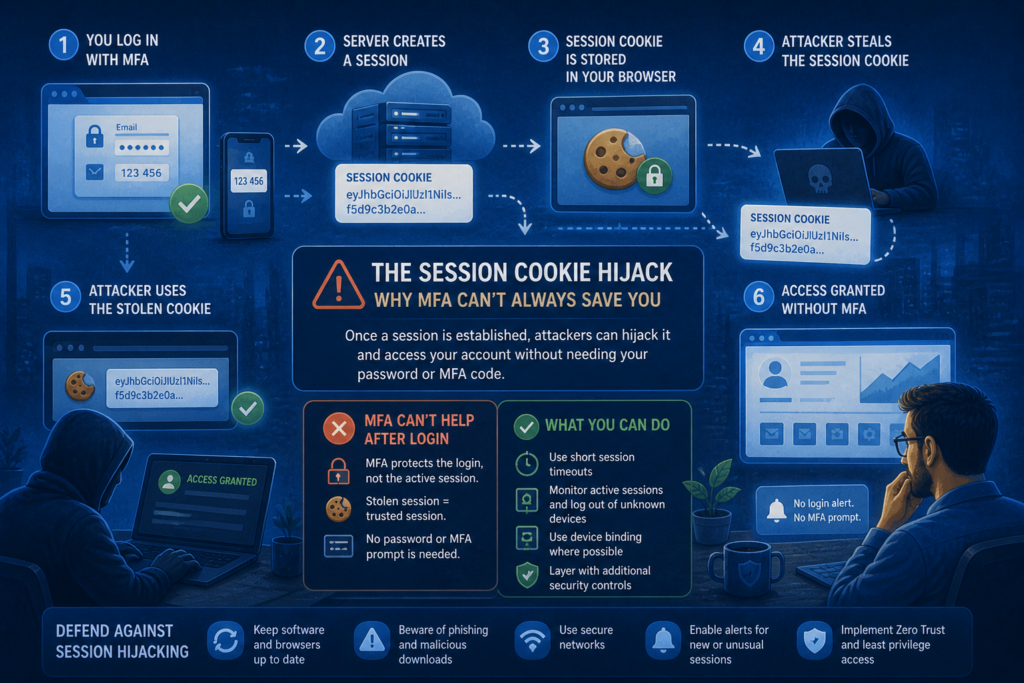
Malicious Chrome Extensions Impersonate Fortinet, YouTube, and VPN Services to Steal Your Data A recently uncovered cyberattack campaign has highlighted a growing threat: more than 100 malicious Chrome extensions have been identified, masquerading as legitimate tools such as Fortinet, YouTube, DeepSeek AI, and various VPN services. Although these extensions appear trustworthy, they are designed to exfiltrate sensitive data, manipulate network traffic, and grant attackers control over browsing sessions. An impersonation-based campaign These malicious extensions are distributed through a carefully crafted network of domains that mimic authentic products or services. Domains such as forti-vpn[.]com, youtube-vision[.]com, and deepseek-ai[.]link are used to build trust by associating themselves with well-known brands and tools. Users searching for enhanced VPN services or more advanced AI tools are drawn to these professional-looking websites and Chrome Web Store listings. How the malicious extensions operate Once installed, these extensions establish communication with remote servers controlled by the attackers. They then begin collecting browsing cookies, session tokens, and other valuable information. Using this data, attackers can impersonate users, hijack sessions, and gain access to sensitive accounts. In addition, these extensions can receive and execute commands in real time, allowing attackers to: Redirect traffic to phishing websites Inject malicious advertisements or pop-ups Act as a proxy to route traffic through the infected device Conduct “man-in-the-browser” attacks A threat to both businesses and individuals This type of attack is particularly concerning in professional environments, where a compromised browser can serve as an entry point to business applications, messaging systems, customer data platforms, and more. Many organizations do not strictly manage browser extensions, allowing employees to install seemingly useful plugins that may, in fact, be dangerous. How to protect yourself To mitigate the risks posed by these malicious extensions, it is recommended to: Restrict extension installation: Use Chrome enterprise policies to allow only pre-approved extensions. Regularly audit installed extensions: Periodically review the extensions installed on employees’ browsers. Monitor network activity: Detect anomalies in outbound traffic, especially toward suspicious or low-reputation domains. Train employees: Raise awareness among staff about the risks of third-party extensions and how to identify fraudulent tools. Conclusion This campaign highlights that browser extensions—once considered simple productivity tools—can now represent a serious security threat. Attackers are becoming increasingly sophisticated, exploiting users’ trust in seemingly legitimate products. Remaining vigilant and treating browser security as a core component of an overall cybersecurity strategy is essential.

Scroll to Top