Green IT for SMEs: Combining Digital Performance and Environmental Sustainability
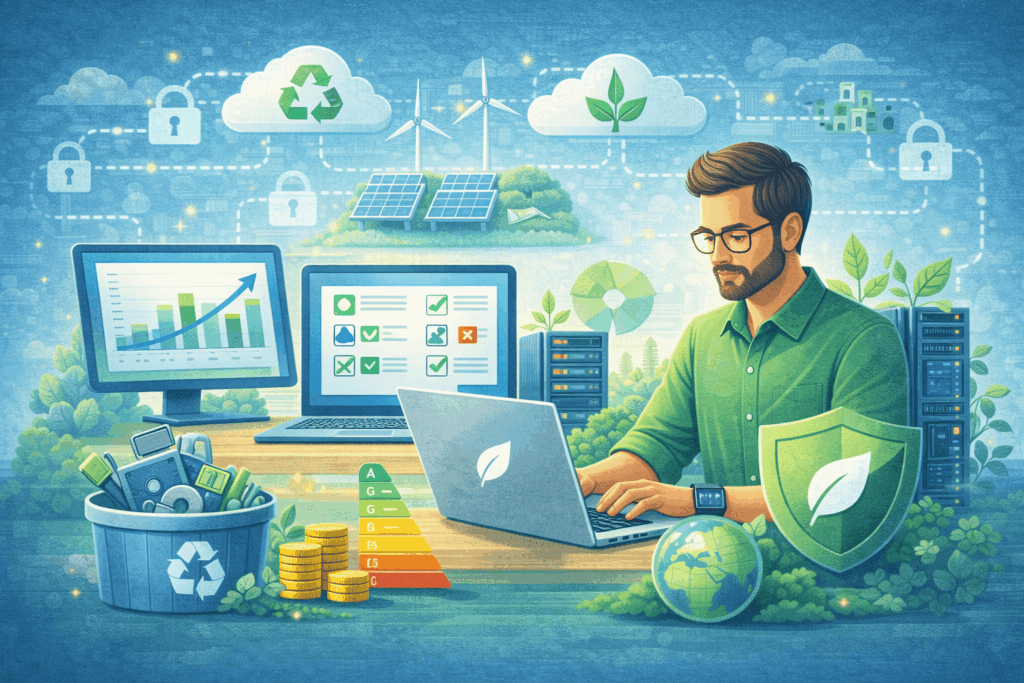
Green IT for SMEs: Combining Digital Performance and Environmental Sustainability Green IT for SMEs: Combining Digital Performance and Environmental Sustainability Digital transformation has become an essential step for all companies, including small and medium-sized enterprises (SMEs). It optimizes processes, facilitates collaboration, and stimulates innovation. However, this digital boom comes with a sharp increase in energy and resource consumption, often invisible at first glance. For example, data centers are estimated to represent around 1% of global electricity consumption, equivalent to the annual consumption of several million households. In Switzerland, data centers already account for nearly 4% of national electricity consumption, as much as all the country’s trains combined. With the rapid rise of cloud computing and artificial intelligence, this digital footprint continues to grow. In this context, the Green IT approach (or sustainable IT) aims to reverse the trend: it brings together a set of practices designed to reduce the environmental footprint of digital technologies while preserving performance. In other words, the objective is to adopt eco-responsible technologies and more sustainable usage patterns in order to reconcile digital transformation with environmental sustainability. What is Green IT? Green IT (short for Green Information Technology) refers to all strategies and best practices aimed at minimizing the environmental impact of digital technologies throughout their lifecycle. This includes the eco-responsible design of hardware and software, their energy-efficient daily use, and the end-of-life management of equipment with proper recycling of electronic waste. Beyond technical solutions, Green IT involves a comprehensive organizational approach: it means rethinking digital usage and integrating digital sobriety into company practices to align digital transformation with sustainable development goals. Why does Green IT matter for SMEs? Several factors are encouraging SMEs to take a closer interest in sustainable IT practices: Rising energy costs: IT represents a growing share of electricity expenses and operational costs for SMEs. Between servers running 24/7, office equipment, and massive online data storage, the energy bill related to digital technologies is increasing rapidly. Optimizing the consumption of these systems is therefore an immediate lever to reduce costs. Pressure from customers and partners: More and more clients, consumers, and business partners expect companies to adopt sustainable practices. Committing to a Green IT approach sends a strong signal: the company reduces its carbon footprint and demonstrates environmental responsibility, thereby strengthening its brand image and competitiveness in the market. Increasing regulatory requirements: Public authorities – in Switzerland, in Europe, and elsewhere – are multiplying environmental standards and incentives for digital sobriety. For example, Switzerland encourages improvements in the energy efficiency of data centers, and the European Union is progressively imposing directives on electronic waste management and the energy consumption of devices. Adopting Green IT enables SMEs to stay ahead of regulatory compliance, avoid potential fines, and benefit from available incentives for responsible companies. Performance and innovation: Contrary to common belief, improving the environmental efficiency of IT can go hand in hand with enhanced performance. For example, rationalizing stored data or modernizing an obsolete server can accelerate applications while consuming less energy. Likewise, migrating to high-performance cloud tools can strengthen business agility while reducing its carbon footprint. Thus, digital performance and sustainability can progress together, offering SMEs a dual competitive advantage. Key Green IT practices (and their benefits) Fortunately, SMEs can deploy Green IT step by step, depending on their resources and priorities. Below are some fundamental Green IT practices and the concrete benefits they bring to small businesses: Green IT Practice Potential Benefits for SMEs Efficient IT infrastructures (cloud & virtualization) Reduce energy consumption by optimizing server and storage usage (fewer active machines, reduced cooling systems). Lower electricity bills and maintenance costs, while potentially improving application reliability and performance. Sustainable and eco-designed hardware Energy-efficient IT equipment (Energy Star certified and equivalent) consumes less electricity and lasts longer. By prioritizing modular, repairable, or refurbished equipment, companies reduce replacement costs and limit electronic waste production. Responsible e-waste management Recycling and reuse policies for end-of-life equipment reduce electronic waste and prevent pollution associated with landfill disposal. Recycling recovers valuable materials, and refurbishing used devices can generate savings or additional revenue. Sustainable digital usage Measures such as automatic sleep mode for computers, switching off equipment outside office hours, reducing paper printing, and disabling unnecessary digital services immediately decrease electricity consumption and waste. These simple actions lower recurring costs and demonstrate the company’s environmental commitment, strengthening its image among stakeholders. Awareness and green corporate culture Integrating Green IT into company culture ensures the sustainability of efforts. Training employees in digital eco-friendly practices (e.g., managing emails properly, limiting HD streaming, unplugging unused devices) and including environmental objectives in IT strategy strengthens staff engagement and coherence of actions. Challenges and opportunities of Green IT for SMEs Despite its many advantages, implementing Green IT can present specific challenges for small organizations. A lack of financial and technical resources is often cited as a barrier: investing in more energy-efficient equipment or newer software represents an immediate cost that can be difficult to bear for an SME with a tight budget. In addition, a lack of expertise in digital sustainability can leave managers feeling overwhelmed by the range of possible solutions, and resistance to changing habits within teams can slow down the green transition. These obstacles are real but can be transformed into growth and innovation opportunities. For example, improvements in energy efficiency ultimately generate substantial long-term savings, largely offsetting the initial investment. Likewise, the need to train in responsible digital practices can become an opportunity to build skills and innovate, strengthening the company’s competitiveness. By overcoming internal resistance through awareness and employee involvement, the SME develops a more agile and responsible corporate culture, fostering internal cohesion. Finally, by voluntarily adopting Green IT practices, an SME positions itself as a pioneer in its sector. It can gain a competitive advantage by responding to growing demand for environmentally friendly products and services. It will also be better prepared for future regulatory changes or fluctuations in energy costs, thereby strengthening its resilience. Practical tips to start Green IT SMEs do not need significant