awsmtech.ch

Author name: MW Agency

Articles Blog EN

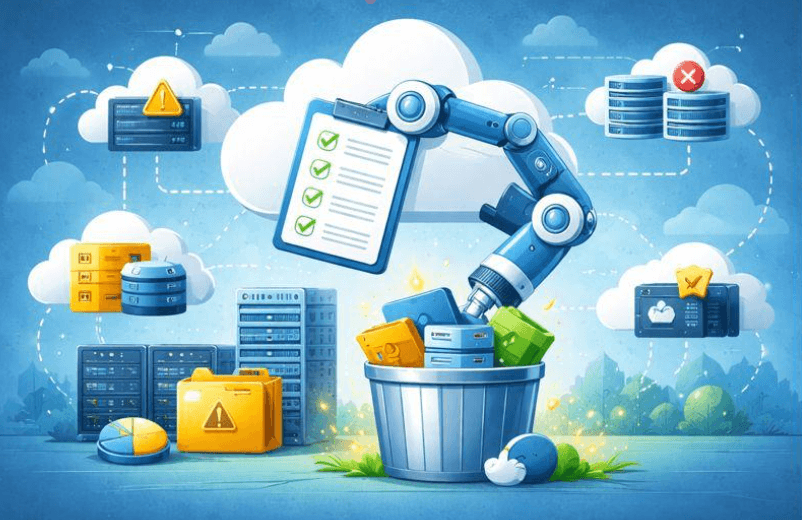
Power Automate workflows to optimize cloud costs with local insights

Power Automate workflows to optimize cloud costs with local insights Le cloud facilite la création de machines virtuelles, bases de données et comptes de stockage en quelques clics. Cependant, chez AWSMTECH (Switzerland) LTD, nous constatons que cette simplicité entraîne souvent une « prolifération cloud » une croissance non maîtrisée des ressources qui peut grignoter votre budget chaque mois.  Selon le State of Cloud Strategy Survey 2024 de HashiCorp, les principales causes de ce gaspillage sont le manque de compétences en gestion cloud, les ressources inactives ou sous-utilisées et la surprovisionnement. Ces facteurs augmentent les coûts pour les entreprises de toutes tailles, y compris en Suisse romande. Pourquoi la gestion des ressources cloud est cruciale L’impact business d’une stratégie proactive est considérable. De nombreuses organisations dépassent leur budget cloud de 17 % en moyenne, mais l’automatisation offre une solution efficace pour reprendre le contrôle. Chez AWSMTECH (Switzerland) LTD, nous voyons régulièrement les bénéfices d’une gestion anticipée. Exemple concret : Une entreprise (VLink) a réduit ses dépenses cloud non productives de 40 % en appliquant une politique stricte d’arrêt automatique hors horaires ouvrables (8h00 à 18h00), sauf pour les environnements tagués « Production ». Ce type d’automatisation est l’une des recommandations que nous proposons à nos clients en Suisse romande pour réaliser des économies significatives. Trois workflows Power Automate pour réduire vos coûts cloud Trouver ces ressources inutilisées peut sembler mission impossible. Et si vous pouviez automatiser cette recherche ? Microsoft Power Automate est l’outil idéal pour cela. Voici trois workflows simples que nous déployons pour nos clients afin d’éliminer le gaspillage cloud : Arrêt automatique des machines virtuelles de développement Les environnements de développement et de test sont souvent les pires coupables. Une VM créée pour un projet ponctuel peut continuer à tourner après sa fin. Solution :  Créez un flux Power Automate quotidien qui vérifie toutes les VMs Azure taguées « Environment Dev ». Si l’utilisation CPU est inférieure à 5 % sur les 72 dernières heures, le flux envoie la commande d’arrêt. Vous ne supprimez rien, vous coupez simplement l’alimentation et vous réduisez immédiatement les coûts. Identifier et signaler les disques orphelins Lorsqu’une VM est supprimée, ses disques associés peuvent rester actifs et générer des frais. Solution :  Planifiez un flux hebdomadaire qui liste tous les disques gérés non attachés à une VM. Compilez un rapport détaillé (nom, taille, coût mensuel estimé) et envoyez-le automatiquement au responsable IT ou à la finance. Ce rapport devient votre liste d’actions pour le nettoyage. Supprimer les ressources temporaires expirées Les projets ponctuels nécessitent parfois des ressources temporaires (conteneurs blob, bases de données). Le risque : elles restent actives indéfiniment. Solution :  Ajoutez un tag « Date de suppression » lors de la création. Configurez un flux Power Automate quotidien qui supprime toute ressource dont la date est échue. Cette automatisation impose une discipline financière sans intervention humaine. Sécuriser vos workflows automatisés Avant toute suppression automatique, testez vos flux en mode rapport uniquement pour éviter les erreurs. Ajoutez des étapes d’approbation manuelle pour les actions sensibles (ex. suppression d’un disque volumineux ou arrêt d’un serveur critique). Ces garde-fous garantissent que l’automatisation travaille pour vous, et non contre vous. Reprenez le contrôle de vos dépenses cloud Ces trois workflows Power Automate sont un excellent point de départ pour les entreprises utilisant Microsoft Azure. Passez d’une approche réactive à une stratégie proactive et ne payez que pour ce qui est réellement nécessaire. Contactez AWSMTECH (Switzerland) LTD dès aujourd’hui pour mettre en place ces automatisations et optimiser vos coûts cloud. Nous accompagnons les entreprises en Suisse romande et dans toute la Suisse pour transformer les dépenses inutiles en opportunités d’innovation.

Articles Blog EN

Cybercriminals Exploit the AI Hype to Spread Ransomware and Malware

Cybercriminals Exploit the AI Hype to Spread Ransomware and Malware Artificial intelligence (AI) fascinates the world with its rapid advances and revolutionary capabilities. From language models to image generators, voice assistants, and predictive tools, AI is now everywhere. But as businesses and individuals embrace this technological revolution, cybercriminals are riding the same wave — with far darker intentions. Increasingly, attacks are being carried out using the AI hype as bait. Behind supposedly intelligent tools lie malware and ransomware designed to steal data or lock entire systems. What appears to be a quest for technological innovation often becomes, for many, a gateway to a trap. The bait: fake AI tools and websites The most common tactic used by attackers is the creation of fake websites or applications that imitate popular AI tools such as ChatGPT, Midjourney, or Google Bard. These platforms often promise advanced features or free access to premium versions. The user, believing they are installing a legitimate tool, actually downloads malicious software. In some cases, these scams go even further: cybercriminals design realistic interfaces that give the illusion of normal operation. Behind the scenes, ransomware or spyware is quietly installed. Victims remain unaware until their files are locked or their personal information is stolen. Phishing campaigns are also emerging, with emails promising “AI assistants for job searching” or “free productivity bots.” Other methods include manipulating Google search results to rank fake AI websites, exploiting users’ curiosity. Malware hidden behind AI What makes this trend particularly dangerous is the variety and power of the threats involved. Ransomware, at the top of the list, encrypts victims’ files and demands a ransom in exchange for a decryption key. In most cases, the victim only discovers the infection once their data has become inaccessible. Another common threat is spyware, which discreetly collects passwords, banking information, browsing data, or cryptocurrency wallets. These are often embedded in fake AI chat or content-generation applications. Finally, some hackers deploy remote access Trojans (RATs), allowing them to fully control a device remotely. These tools are frequently disguised as so-called “AI assistants” or intelligent desktop applications. Why this works so well This strategy is highly effective because it exploits human psychology. AI is trendy, innovative, and constantly evolving. Everyone — from students to corporate executives — wants to stay ahead of the curve. This desire to adopt the latest technologies often leads people to overlook warning signs. Moreover, AI benefits from a positive and serious image. Many assume that an “intelligent” tool must be trustworthy — an assumption that attackers exploit without hesitation. Add attractive design and well-written messaging, and the result is scams with alarming effectiveness. Real-world examples Several recent incidents illustrate this clearly. A desktop application impersonating ChatGPT, distributed through forums and YouTube videos, actually contained “RedLine Stealer,” a malware capable of stealing sensitive data. Others used fake AI image generators to spread keyloggers. Even LinkedIn has been targeted with fake AI tools aimed at job seekers. These cases show that cybercriminals are refining their techniques — and that AI has become a preferred disguise for attacks. How to protect yourself Fortunately, there are ways to reduce the risk. First and foremost, only download AI tools from official websites or certified app stores. Be wary of “free” or “cracked” versions of popular tools — they are often bundled with malware. Keep your operating system, antivirus software, and browsers up to date. Unpatched vulnerabilities provide an easy entry point for attackers. Security extensions can also help by warning you about suspicious websites. For businesses, it is advisable to train employees in cybersecurity, filter emails effectively, and test new tools in isolated environments before large-scale deployment. Above all, stay curious — but pair that curiosity with vigilance. Conclusion The explosive growth of AI attracts both enthusiasts and criminals alike. By capitalizing on this trend, cybercriminals have found a highly effective way to distribute malware and ransomware. Understanding these threats is the first step toward defending against them. Stay informed, stay cautious, and explore AI safely.     

a group of colorful cubes
Articles Blog EN

Chrome extensions

Malicious Chrome Extensions Impersonate Fortinet, YouTube, and VPN Services to Steal Your Data A recently uncovered cyberattack campaign has highlighted a growing threat: more than 100 malicious Chrome extensions have been identified, masquerading as legitimate tools such as Fortinet, YouTube, DeepSeek AI, and various VPN services. Although these extensions appear trustworthy, they are designed to exfiltrate sensitive data, manipulate network traffic, and grant attackers control over browsing sessions. An impersonation-based campaign These malicious extensions are distributed through a carefully crafted network of domains that mimic authentic products or services. Domains such as forti-vpn[.]com, youtube-vision[.]com, and deepseek-ai[.]link are used to build trust by associating themselves with well-known brands and tools. Users searching for enhanced VPN services or more advanced AI tools are drawn to these professional-looking websites and Chrome Web Store listings. How the malicious extensions operate Once installed, these extensions establish communication with remote servers controlled by the attackers. They then begin collecting browsing cookies, session tokens, and other valuable information. Using this data, attackers can impersonate users, hijack sessions, and gain access to sensitive accounts. In addition, these extensions can receive and execute commands in real time, allowing attackers to: Redirect traffic to phishing websites Inject malicious advertisements or pop-ups Act as a proxy to route traffic through the infected device Conduct “man-in-the-browser” attacks A threat to both businesses and individuals This type of attack is particularly concerning in professional environments, where a compromised browser can serve as an entry point to business applications, messaging systems, customer data platforms, and more. Many organizations do not strictly manage browser extensions, allowing employees to install seemingly useful plugins that may, in fact, be dangerous. How to protect yourself To mitigate the risks posed by these malicious extensions, it is recommended to: Restrict extension installation: Use Chrome enterprise policies to allow only pre-approved extensions. Regularly audit installed extensions: Periodically review the extensions installed on employees’ browsers. Monitor network activity: Detect anomalies in outbound traffic, especially toward suspicious or low-reputation domains. Train employees: Raise awareness among staff about the risks of third-party extensions and how to identify fraudulent tools. Conclusion This campaign highlights that browser extensions—once considered simple productivity tools—can now represent a serious security threat. Attackers are becoming increasingly sophisticated, exploiting users’ trust in seemingly legitimate products. Remaining vigilant and treating browser security as a core component of an overall cybersecurity strategy is essential.

technology, keyboard, computing, illuminated, mac, blur, technology, technology, technology, technology, technology, keyboard, keyboard, keyboard
Articles Blog EN

Blog AI Transforming

AI is transforming infrastructure, but are we ready for low-latency, large-scale AI? Artificial intelligence is no longer confined to laboratories or pilot projects. It is in our inboxes, our cars, our hospitals, and our financial systems. And as it becomes essential to the way we work, consume, communicate, and make decisions, expectations around performance — especially speed — are increasing dramatically. Today, AI is expected not only to be intelligent, but instantaneous. But here is the problem: most of our digital infrastructures were not designed to handle real-time intelligence, let alone at scale. If we do not address this, the promise of AI will remain just that — a promise. The cloud has brought us this far. But AI demands more. Cloud computing has transformed the last decade. It has given companies flexibility, elasticity, and growth without physical infrastructure. But AI, especially low-latency AI, introduces very different constraints. We are no longer talking about seconds or hundreds of milliseconds. We are talking about real time, where 20 ms instead of 200 ms can make all the difference. Some concrete examples: Conversational AI: voice assistants or customer support bots that take too long to respond degrade the user experience. Autonomous systems: drones, robots, vehicles — they make decisions in milliseconds. Predictive maintenance: sensors must trigger AI models before a failure occurs, not after. These are critical workloads, and they do not tolerate delay. Why latency is the new bottleneck Latency is not only about speed. It affects user experience, model accuracy, operational efficiency, and ultimately business performance. The main obstacles are: 1. Models that are too heavyModels like GPT, Claude, or Gemini are powerful but extremely resource-intensive. Their size makes them poorly suited for real-time applications without optimization. 2. Data gravityThe larger the data, the longer (and more expensive) it is to move — especially between the cloud and the edge. 3. Limited edge connectivityAI deployed in stores, factories, or vehicles often has to operate with unstable connections. Sending every request back to the cloud is not always possible. 4. Inadequate infrastructureTraditional tools are designed for CPU-centric web applications, not for real-time, distributed, GPU-accelerated AI workloads. What a modern AI infrastructure looks like Delivering low-latency AI at scale requires an architecture designed for speed: ✅ Proximity of deploymentsPlacing models closer to end users — through edge computing — significantly reduces response times. ✅ Hardware acceleratorsSpecialized chips (GPU, TPU, AWS Inferentia, Intel Gaudi, etc.) enable much faster inference than traditional CPUs. ✅ Optimized modelsTechniques such as quantization, distillation, and compression reduce model size while maintaining effectiveness. ✅ Intelligent orchestrationOrchestrators must take latency, hardware type, and data proximity into account when making decisions. And what about teams? Culture must evolve too. Modernizing AI infrastructure is not only a technological challenge. It requires an organizational shift: ML engineers need visibility into operations and infrastructure. DevOps teams must understand model-specific constraints. Product teams must design with near-instant response requirements in mind. This is not a simple upgrade — it is a paradigm shift. Conclusion: build for tomorrow, starting today The future of AI does not depend solely on better models. It depends on better foundations. Infrastructure must be: Fast Distributed Model-optimized Scalable Because in a world where AI plays an increasingly central role, the performance of your stack becomes a strategic differentiator. So, are we ready for low-latency AI at scale? ✅ The technology exists.✅ The opportunity is massive.But preparation starts today.

Scroll to Top