awsmtech.ch

Articles Blog EN

Articles Blog EN

Optimize your Microsoft 365 Copilot licenses. Reduce costs, analyze actual usage, and avoid software waste with a comprehensive audit.

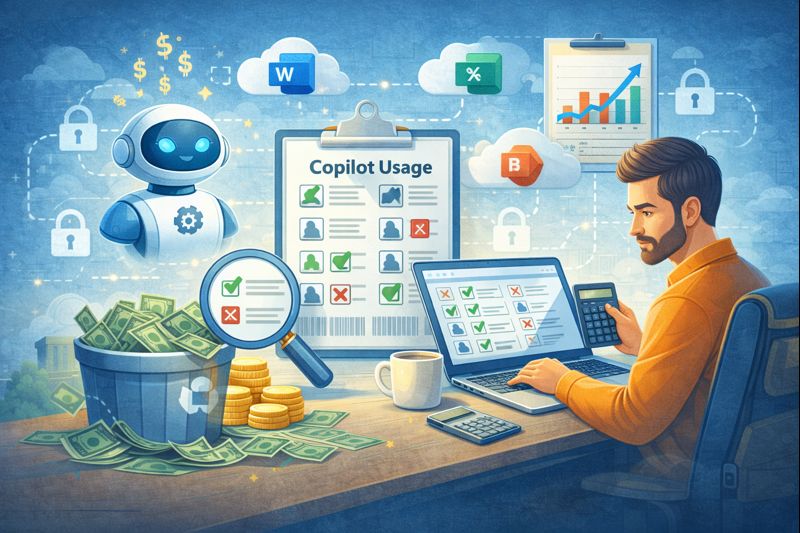
Optimize your Microsoft 365 Copilot licenses. Reduce costs, analyze actual usage, and avoid software waste with a comprehensive audit.   Artificial intelligence (AI) is transforming the business world Artificial intelligence (AI) has become firmly established in companies, pushing organizations of all sizes to adopt new tools to gain efficiency and strengthen their competitive advantage. Among these technologies, Microsoft 365 Copilot stands out thanks to its seamless integration into the Office 365 environment, already well known to users. In the rush to adopt new solutions, many companies purchase licenses for their entire workforce without proper analysis. This approach often leads to the phenomenon known as “shelfware”, meaning AI tools that go unused while the company continues to pay for them. Given the high cost of these solutions, it is essential to invest thoughtfully to achieve a real return on investment. Because you can only improve what you measure, a Microsoft 365 Copilot audit becomes essential to assess and quantify adoption rates. An in-depth review makes it possible to see who is actually using the technology and who benefits from it. It also helps make better licensing decisions, reducing costs while improving overall efficiency. The reality of waste linked to AI licenses Buying licenses in bulk may seem convenient, as it simplifies the work of the IT department. However, this strategy often ignores real user behavior: not everyone needs Copilot’s advanced features. Waste occurs when licenses remain inactive. For example: a receptionist is unlikely to need advanced data analysis; a field technician may never open the desktop application. Paying for unused licenses weighs on the budget. Identifying and correcting these gaps is essential to protect company finances. The savings achieved can then be reinvested in more strategic projects. Analyzing user activity reports Fortunately, Microsoft provides built-in tools to analyze actual Copilot usage. The Microsoft 365 Admin Center is the best place to start. It allows you to generate reports over defined periods and obtain a clear view of engagement. You can track indicators such as: enabled users active users adoption rate usage trends This data makes it possible to identify employees who have never used Copilot or whose minimal usage does not justify a dedicated license. This visibility enables fact-based decisions—and opens a constructive dialogue with department managers to understand why certain teams are not using the tool. Strategies to optimize the IT budget Once waste has been identified, it’s time to act. First actions to consider: reclaim unused licenses and reassign them where they are truly needed; implement a formal license request process: only users who can justify their need receive Copilot. IT budget optimization is never a one-off exercise: it requires ongoing monitoring. Reviewing these metrics monthly or quarterly helps maintain control over software spending. Driving adoption through training A low usage rate does not necessarily mean a lack of interest. Some people simply do not need the tool. Others avoid it due to insufficient training, which leads to frustration and poor adoption. That is why reducing licenses alone is not enough: the company must also invest in training. Recommended steps: organize lunch & learn sessions to present key features; share testimonials from internal power users; create a library of short, practical tip videos; appoint Copilot Champions in each department. When an employee understands the value of the tool and knows how to use it, adoption increases naturally—turning an underused license into a real productivity asset. Implementing a governance policy Another way to reduce waste is to establish a governance policy for AI tools. This clarifies: who is entitled to a license; which roles receive one automatically; which cases require manager approval; how often licenses are reviewed. Clear governance avoids the “everyone gets one” approach that leads to waste. It also improves transparency and encourages a culture of accountability in the use of IT resources. Preparing properly before the renewal period The worst time to review your license usage?The day before renewal. Plan your audits at least 90 days in advance. This gives you time to adjust the contract and reduce or optimize the number of licenses. This preparation also strengthens your position when negotiating with vendors: by bringing concrete data, you can align your contract with real needs and avoid another year of unnecessary expenses. Smart management makes all the difference Modern software management requires vigilance and data. With the widespread adoption of subscription models, letting licenses accumulate without oversight is no longer an option. Regular Microsoft 365 Copilot audits protect your budget and ensure effective usage by aligning purchases with actual use. Take control today.Analyze the numbers, ask the right questions, and make sure every franc invested truly contributes to your company’s growth. Ready to optimize your AI tool spending? Our team supports you with comprehensive Microsoft 365 Copilot audits to eliminate waste and take control of your IT budget. Contact us now to schedule your consultation.


Articles Blog EN

Secure remote working on public networks. VPN, data protection, physical security: discover best practices for working securely in Switzerland.

Secure remote working on public networks. VPN, data protection, physical security: discover best practices for working securely in Switzerland. The modern workplace goes far beyond traditional cubicles and open spaces Since remote work became widespread during the COVID and post-COVID period, employees now work from their homes, libraries, busy cafés, or even from their vacation destinations. These environments—often referred to as “third places”—offer flexibility and comfort, but they also introduce new risks for corporate IT systems. With remote work becoming a lasting reality, organizations must adapt their security policies. A café cannot be considered a secure office: its open environment exposes employees to very different threats. Teams need clear guidelines to work safely and protect sensitive data. Neglecting security on public Wi-Fi networks can have serious consequences, as these locations are prime targets for cybercriminals seeking to exploit remote workers. Provide your teams with the right tools, best practices, and a solid policy to protect your data—even outside the corporate network. The dangers of open networks Free internet access attracts many remote workers to cafés, shopping centers, libraries, and coworking spaces. However, these networks are rarely encrypted or properly secured. Even when a password is required, it is often widely shared, which significantly reduces the level of protection. As a result, it becomes easy for attackers to intercept traffic and retrieve passwords, emails, or documents in just a few seconds. Some attacks also rely on fraudulent networks deliberately named “Free Wi-Fi” or using the name of a nearby business. Once connected, the attacker controlling the network can see all transmitted data—a classic man-in-the-middle attack scenario. It is therefore essential to remind employees that they should never trust a public network. Caution must remain the rule, even when the network is “protected” by a password. Making VPN usage mandatory The most effective tool for securing remote work is a VPN. A Virtual Private Network encrypts all data leaving the computer, creating a secure tunnel through the internet—even on an untrusted public network. The information then becomes unreadable to anyone attempting to intercept it. The VPN should be provided by the company, and its use should be mandatory whenever employees connect outside the office. To ensure adoption, choose a tool that is simple, fast, and automated. When possible, configure the VPN to connect automatically, without user intervention. Finally, implement technical controls that prevent access to internal resources unless the VPN is active. The risk of visual hacking Cyber threats are not the only risks to consider. In public spaces, someone sitting nearby can easily glance at a screen. Visual hacking involves stealing information simply by looking over someone’s shoulder—a discreet, highly effective method that is almost impossible to detect. In crowded environments, sensitive data—customer information, financial tables, internal projects—can be seen or even photographed without the employee’s knowledge. To reduce this risk, provide privacy screens. These filters make the screen unreadable from the side. Some devices even include built-in hardware privacy systems that limit visibility based on viewing angle. Physically securing devices Leaving a computer unattended is a costly mistake. In a secure office, stepping away for a few minutes is common. In a café, it can lead to device theft in seconds. Your remote work policy must clearly emphasize the importance of physical device security. Employees should: keep their computer with them at all times; never entrust it to a stranger; remain vigilant and assess their surroundings. Also encourage the use of security cables, especially in coworking spaces. While not foolproof, they provide an additional deterrent. Managing sensitive calls and conversations Cafés may be noisy, but conversations are often still audible. Discussing confidential matters in public is risky—you never know who is nearby. A competitor, a fraudster, or a curious bystander could overhear sensitive information. Recommend that teams avoid confidential conversations in third places. If a call is unavoidable, it is better to isolate oneself, step outside, or move to a private space such as a car. Headphones only protect what the employee hears—not what they say. Developing a clear remote work policy Employees should never have to guess the rules. A written policy clearly defines expectations, standards, and procedures. Include dedicated sections on: public networks and their use; physical security measures; best practices for data protection. Explain the reasoning behind each rule to encourage compliance. The policy should also be easily accessible, for example via the intranet. Review this document once a year. Technology evolves quickly, and your policy must evolve with it. Empowering your teams to work securely Working from a third place offers flexibility and motivation, but it requires increased vigilance. Security on public networks and physical protection of devices are non-negotiable. With the right tools, clear guidelines, and a solid policy, you can reduce risks while benefiting from remote work. Well-informed employees become your first line of defense—wherever they are. Is your team working remotely without real protection? We help companies strengthen the security of remote access and develop tailored policies so your data remains private—even on a public network. Contact us today to secure your remote work.

Articles Blog EN

Secure guest Wi-Fi: adopt Zero Trust in French-speaking Switzerland

Secure guest Wi-Fi: adopt Zero Trust in French-speaking Switzerland The fundamental principle of Zero Trust: never trust, always verify No device or user should be granted automatic trust simply because they are connected to your guest network. Below are the key steps to creating a secure and professional guest Wi-Fi environment. The business benefits of a Zero Trust guest Wi-Fi Implementing a Zero Trust–based guest network is not just a technical necessity—it’s a strategic decision that delivers financial and reputational benefits. By moving away from the risky shared-password model, you significantly reduce the likelihood of costly incidents for your business in French-speaking Switzerland and beyond. A compromised guest device could otherwise act as a gateway for attacks, leading to service disruptions, data breaches, or regulatory fines. Conversely, proactive measures such as isolation, verification, and strict policy enforcement are an investment in business continuity and peace of mind. Real-world example: the well-known Marriott data breach, where attackers exploited a third-party access point to compromise millions of personal records. While not strictly a Wi-Fi incident, it illustrates the financial and reputational consequences of a network vulnerability. A Zero Trust guest network that strictly isolates guest traffic from internal systems would have prevented this type of lateral movement. Building a fully isolated guest network For SMEs in French-speaking Switzerland, we recommend complete network separation as the first step. Your guest network should never mix with internal traffic. How to do it: Create a dedicated VLAN for guests with a separate IP range. Configure your firewall to block all communication between the guest VLAN and the main VLAN. Guests should only have access to the Internet. This strategic isolation prevents any infected device from spreading to your servers or sensitive data. Deploying a professional captive portal Forget the static password. Replace it with a secure, customized captive portal (like those used in hotels or conferences). Possible options: A unique code generated by reception, expiring after 8 or 24 hours. A form requesting name and email address to trace connections. One-time password (OTP) authentication sent via SMS. These methods enforce the “never trust” principle by turning an anonymous connection into an identified session. Strengthening security with NAC (Network Access Control) A captive portal is a good start, but for optimal security, add a NAC solution. NAC acts like a digital bouncer, verifying the identity and compliance of each device before granting access. Examples of checks: Firewall enabled on the device. Latest security updates installed. If a device fails these checks, NAC can redirect it to a restricted zone with instructions or block the connection entirely. Limiting session duration and bandwidth Zero Trust is not only about access, but also about duration and usage. Enforce timeouts (e.g., reauthentication every 12 hours). Limit bandwidth to prevent 4K streaming or massive downloads. These measures reduce exposure without disrupting essential needs such as email and web browsing. Creating a secure and welcoming experience Zero Trust guest Wi-Fi is no longer reserved for large enterprises—it is a fundamental requirement for all organizations, including SMEs in French-speaking Switzerland. By adopting a layered approach—segmentation, verification, continuous enforcement—you eliminate a commonly overlooked entry point while delivering a professional service to your visitors. Need secure guest Wi-Fi without complexity? Contact AWSMTECH (Switzerland) LTD today. We help companies in French-speaking Switzerland and across the country implement these best practices easily, ensuring your peace of mind and the security of your guests.

Articles Blog EN

Power Automate workflows to optimize cloud costs with local insights

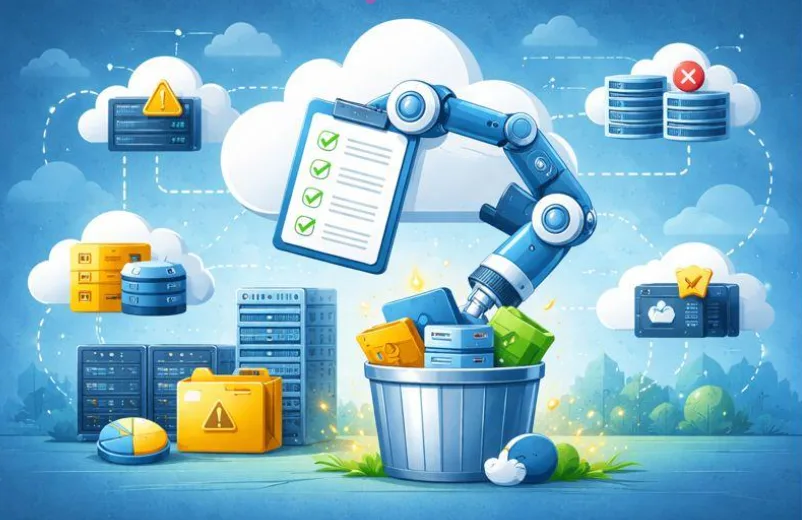
Power Automate workflows to optimize cloud costs with local insights Le cloud facilite la création de machines virtuelles, bases de données et comptes de stockage en quelques clics. Cependant, chez AWSMTECH (Switzerland) LTD, nous constatons que cette simplicité entraîne souvent une « prolifération cloud » une croissance non maîtrisée des ressources qui peut grignoter votre budget chaque mois.  Selon le State of Cloud Strategy Survey 2024 de HashiCorp, les principales causes de ce gaspillage sont le manque de compétences en gestion cloud, les ressources inactives ou sous-utilisées et la surprovisionnement. Ces facteurs augmentent les coûts pour les entreprises de toutes tailles, y compris en Suisse romande. Pourquoi la gestion des ressources cloud est cruciale L’impact business d’une stratégie proactive est considérable. De nombreuses organisations dépassent leur budget cloud de 17 % en moyenne, mais l’automatisation offre une solution efficace pour reprendre le contrôle. Chez AWSMTECH (Switzerland) LTD, nous voyons régulièrement les bénéfices d’une gestion anticipée. Exemple concret : Une entreprise (VLink) a réduit ses dépenses cloud non productives de 40 % en appliquant une politique stricte d’arrêt automatique hors horaires ouvrables (8h00 à 18h00), sauf pour les environnements tagués « Production ». Ce type d’automatisation est l’une des recommandations que nous proposons à nos clients en Suisse romande pour réaliser des économies significatives. Trois workflows Power Automate pour réduire vos coûts cloud Trouver ces ressources inutilisées peut sembler mission impossible. Et si vous pouviez automatiser cette recherche ? Microsoft Power Automate est l’outil idéal pour cela. Voici trois workflows simples que nous déployons pour nos clients afin d’éliminer le gaspillage cloud : Arrêt automatique des machines virtuelles de développement Les environnements de développement et de test sont souvent les pires coupables. Une VM créée pour un projet ponctuel peut continuer à tourner après sa fin. Solution :  Créez un flux Power Automate quotidien qui vérifie toutes les VMs Azure taguées « Environment Dev ». Si l’utilisation CPU est inférieure à 5 % sur les 72 dernières heures, le flux envoie la commande d’arrêt. Vous ne supprimez rien, vous coupez simplement l’alimentation et vous réduisez immédiatement les coûts. Identifier et signaler les disques orphelins Lorsqu’une VM est supprimée, ses disques associés peuvent rester actifs et générer des frais. Solution :  Planifiez un flux hebdomadaire qui liste tous les disques gérés non attachés à une VM. Compilez un rapport détaillé (nom, taille, coût mensuel estimé) et envoyez-le automatiquement au responsable IT ou à la finance. Ce rapport devient votre liste d’actions pour le nettoyage. Supprimer les ressources temporaires expirées Les projets ponctuels nécessitent parfois des ressources temporaires (conteneurs blob, bases de données). Le risque : elles restent actives indéfiniment. Solution :  Ajoutez un tag « Date de suppression » lors de la création. Configurez un flux Power Automate quotidien qui supprime toute ressource dont la date est échue. Cette automatisation impose une discipline financière sans intervention humaine. Sécuriser vos workflows automatisés Avant toute suppression automatique, testez vos flux en mode rapport uniquement pour éviter les erreurs. Ajoutez des étapes d’approbation manuelle pour les actions sensibles (ex. suppression d’un disque volumineux ou arrêt d’un serveur critique). Ces garde-fous garantissent que l’automatisation travaille pour vous, et non contre vous. Reprenez le contrôle de vos dépenses cloud Ces trois workflows Power Automate sont un excellent point de départ pour les entreprises utilisant Microsoft Azure. Passez d’une approche réactive à une stratégie proactive et ne payez que pour ce qui est réellement nécessaire. Contactez AWSMTECH (Switzerland) LTD dès aujourd’hui pour mettre en place ces automatisations et optimiser vos coûts cloud. Nous accompagnons les entreprises en Suisse romande et dans toute la Suisse pour transformer les dépenses inutiles en opportunités d’innovation.

Articles Blog EN

Cybercriminals Exploit the AI Hype to Spread Ransomware and Malware

Cybercriminals Exploit the AI Hype to Spread Ransomware and Malware Artificial intelligence (AI) fascinates the world with its rapid advances and revolutionary capabilities. From language models to image generators, voice assistants, and predictive tools, AI is now everywhere. But as businesses and individuals embrace this technological revolution, cybercriminals are riding the same wave — with far darker intentions. Increasingly, attacks are being carried out using the AI hype as bait. Behind supposedly intelligent tools lie malware and ransomware designed to steal data or lock entire systems. What appears to be a quest for technological innovation often becomes, for many, a gateway to a trap. The bait: fake AI tools and websites The most common tactic used by attackers is the creation of fake websites or applications that imitate popular AI tools such as ChatGPT, Midjourney, or Google Bard. These platforms often promise advanced features or free access to premium versions. The user, believing they are installing a legitimate tool, actually downloads malicious software. In some cases, these scams go even further: cybercriminals design realistic interfaces that give the illusion of normal operation. Behind the scenes, ransomware or spyware is quietly installed. Victims remain unaware until their files are locked or their personal information is stolen. Phishing campaigns are also emerging, with emails promising “AI assistants for job searching” or “free productivity bots.” Other methods include manipulating Google search results to rank fake AI websites, exploiting users’ curiosity. Malware hidden behind AI What makes this trend particularly dangerous is the variety and power of the threats involved. Ransomware, at the top of the list, encrypts victims’ files and demands a ransom in exchange for a decryption key. In most cases, the victim only discovers the infection once their data has become inaccessible. Another common threat is spyware, which discreetly collects passwords, banking information, browsing data, or cryptocurrency wallets. These are often embedded in fake AI chat or content-generation applications. Finally, some hackers deploy remote access Trojans (RATs), allowing them to fully control a device remotely. These tools are frequently disguised as so-called “AI assistants” or intelligent desktop applications. Why this works so well This strategy is highly effective because it exploits human psychology. AI is trendy, innovative, and constantly evolving. Everyone — from students to corporate executives — wants to stay ahead of the curve. This desire to adopt the latest technologies often leads people to overlook warning signs. Moreover, AI benefits from a positive and serious image. Many assume that an “intelligent” tool must be trustworthy — an assumption that attackers exploit without hesitation. Add attractive design and well-written messaging, and the result is scams with alarming effectiveness. Real-world examples Several recent incidents illustrate this clearly. A desktop application impersonating ChatGPT, distributed through forums and YouTube videos, actually contained “RedLine Stealer,” a malware capable of stealing sensitive data. Others used fake AI image generators to spread keyloggers. Even LinkedIn has been targeted with fake AI tools aimed at job seekers. These cases show that cybercriminals are refining their techniques — and that AI has become a preferred disguise for attacks. How to protect yourself Fortunately, there are ways to reduce the risk. First and foremost, only download AI tools from official websites or certified app stores. Be wary of “free” or “cracked” versions of popular tools — they are often bundled with malware. Keep your operating system, antivirus software, and browsers up to date. Unpatched vulnerabilities provide an easy entry point for attackers. Security extensions can also help by warning you about suspicious websites. For businesses, it is advisable to train employees in cybersecurity, filter emails effectively, and test new tools in isolated environments before large-scale deployment. Above all, stay curious — but pair that curiosity with vigilance. Conclusion The explosive growth of AI attracts both enthusiasts and criminals alike. By capitalizing on this trend, cybercriminals have found a highly effective way to distribute malware and ransomware. Understanding these threats is the first step toward defending against them. Stay informed, stay cautious, and explore AI safely.     

a group of colorful cubes
Articles Blog EN

Chrome extensions

Malicious Chrome Extensions Impersonate Fortinet, YouTube, and VPN Services to Steal Your Data A recently uncovered cyberattack campaign has highlighted a growing threat: more than 100 malicious Chrome extensions have been identified, masquerading as legitimate tools such as Fortinet, YouTube, DeepSeek AI, and various VPN services. Although these extensions appear trustworthy, they are designed to exfiltrate sensitive data, manipulate network traffic, and grant attackers control over browsing sessions. An impersonation-based campaign These malicious extensions are distributed through a carefully crafted network of domains that mimic authentic products or services. Domains such as forti-vpn[.]com, youtube-vision[.]com, and deepseek-ai[.]link are used to build trust by associating themselves with well-known brands and tools. Users searching for enhanced VPN services or more advanced AI tools are drawn to these professional-looking websites and Chrome Web Store listings. How the malicious extensions operate Once installed, these extensions establish communication with remote servers controlled by the attackers. They then begin collecting browsing cookies, session tokens, and other valuable information. Using this data, attackers can impersonate users, hijack sessions, and gain access to sensitive accounts. In addition, these extensions can receive and execute commands in real time, allowing attackers to: Redirect traffic to phishing websites Inject malicious advertisements or pop-ups Act as a proxy to route traffic through the infected device Conduct “man-in-the-browser” attacks A threat to both businesses and individuals This type of attack is particularly concerning in professional environments, where a compromised browser can serve as an entry point to business applications, messaging systems, customer data platforms, and more. Many organizations do not strictly manage browser extensions, allowing employees to install seemingly useful plugins that may, in fact, be dangerous. How to protect yourself To mitigate the risks posed by these malicious extensions, it is recommended to: Restrict extension installation: Use Chrome enterprise policies to allow only pre-approved extensions. Regularly audit installed extensions: Periodically review the extensions installed on employees’ browsers. Monitor network activity: Detect anomalies in outbound traffic, especially toward suspicious or low-reputation domains. Train employees: Raise awareness among staff about the risks of third-party extensions and how to identify fraudulent tools. Conclusion This campaign highlights that browser extensions—once considered simple productivity tools—can now represent a serious security threat. Attackers are becoming increasingly sophisticated, exploiting users’ trust in seemingly legitimate products. Remaining vigilant and treating browser security as a core component of an overall cybersecurity strategy is essential.

technology, keyboard, computing, illuminated, mac, blur, technology, technology, technology, technology, technology, keyboard, keyboard, keyboard
Articles Blog EN

Blog AI Transforming

AI is transforming infrastructure, but are we ready for low-latency, large-scale AI? Artificial intelligence is no longer confined to laboratories or pilot projects. It is in our inboxes, our cars, our hospitals, and our financial systems. And as it becomes essential to the way we work, consume, communicate, and make decisions, expectations around performance — especially speed — are increasing dramatically. Today, AI is expected not only to be intelligent, but instantaneous. But here is the problem: most of our digital infrastructures were not designed to handle real-time intelligence, let alone at scale. If we do not address this, the promise of AI will remain just that — a promise. The cloud has brought us this far. But AI demands more. Cloud computing has transformed the last decade. It has given companies flexibility, elasticity, and growth without physical infrastructure. But AI, especially low-latency AI, introduces very different constraints. We are no longer talking about seconds or hundreds of milliseconds. We are talking about real time, where 20 ms instead of 200 ms can make all the difference. Some concrete examples: Conversational AI: voice assistants or customer support bots that take too long to respond degrade the user experience. Autonomous systems: drones, robots, vehicles — they make decisions in milliseconds. Predictive maintenance: sensors must trigger AI models before a failure occurs, not after. These are critical workloads, and they do not tolerate delay. Why latency is the new bottleneck Latency is not only about speed. It affects user experience, model accuracy, operational efficiency, and ultimately business performance. The main obstacles are: 1. Models that are too heavyModels like GPT, Claude, or Gemini are powerful but extremely resource-intensive. Their size makes them poorly suited for real-time applications without optimization. 2. Data gravityThe larger the data, the longer (and more expensive) it is to move — especially between the cloud and the edge. 3. Limited edge connectivityAI deployed in stores, factories, or vehicles often has to operate with unstable connections. Sending every request back to the cloud is not always possible. 4. Inadequate infrastructureTraditional tools are designed for CPU-centric web applications, not for real-time, distributed, GPU-accelerated AI workloads. What a modern AI infrastructure looks like Delivering low-latency AI at scale requires an architecture designed for speed: ✅ Proximity of deploymentsPlacing models closer to end users — through edge computing — significantly reduces response times. ✅ Hardware acceleratorsSpecialized chips (GPU, TPU, AWS Inferentia, Intel Gaudi, etc.) enable much faster inference than traditional CPUs. ✅ Optimized modelsTechniques such as quantization, distillation, and compression reduce model size while maintaining effectiveness. ✅ Intelligent orchestrationOrchestrators must take latency, hardware type, and data proximity into account when making decisions. And what about teams? Culture must evolve too. Modernizing AI infrastructure is not only a technological challenge. It requires an organizational shift: ML engineers need visibility into operations and infrastructure. DevOps teams must understand model-specific constraints. Product teams must design with near-instant response requirements in mind. This is not a simple upgrade — it is a paradigm shift. Conclusion: build for tomorrow, starting today The future of AI does not depend solely on better models. It depends on better foundations. Infrastructure must be: Fast Distributed Model-optimized Scalable Because in a world where AI plays an increasingly central role, the performance of your stack becomes a strategic differentiator. So, are we ready for low-latency AI at scale? ✅ The technology exists.✅ The opportunity is massive.But preparation starts today.

Scroll to Top